A coach that knows your numbers
Ask about your sleep, water, training or supplements in English, German or Hungarian. It answers from your own data, offers the next question, and opens the right screen when you want to act. On the watch, by voice.
Carpemind plugs into the health store your phone already has, links your sleep, heart rate and training with what you log, and turns it into one small step on your phone or your wrist. Its AI works on the phone first.
Free during the beta, everything included. Nothing to migrate. A wellness app, not a medical device.
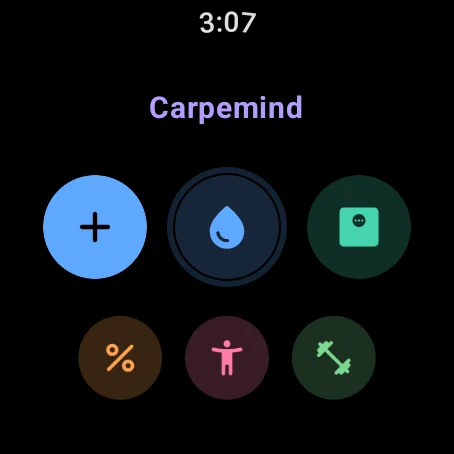
Tap the watch tiles. The drop logs 250 ml, as on the real watch.
Plugs into what you already use
Most trackers want to become your new dashboard. Carpemind goes the other way: it reads and writes the health store your phone already has, so your history, your scale and your other apps stay exactly where they are.
Google Health, Samsung Health, your scale’s app and your food app keep their place. Each entry is checked before writing, so nothing is counted twice.
Plan on the phone, run it on the watch. Every watch flow works with no phone nearby and syncs once, in order, when they meet again.
Health Connect and Wear OS today. Apple Health and Apple Watch are next, built the same way, so switching phones doesn’t mean starting over.
Where your phone has a built-in model, Carpemind’s AI runs on it, so what you ask and what it reads stay on the phone while it writes. Cloud AI for deeper analysis is on the way, as an option you turn on. Say no, and everything else works the same.
Typed, or spoken to the watch.
Card and bank numbers, contact details, ID numbers and birth dates are caught by fixed rules before any model sees the text.
The answer is built from your numbers by rules, then put into words by the model on your phone.
The text passes the same safety checks as the template, or the template shows. Model text says “Written by on-device AI”.
Used first wherever the phone has one that apps can use. Recent Pixel and Galaxy phones and many others do. Which phones?
A larger model for longer reasoning across your weeks of data, run in the EU, and the AI for phones without their own model. Off until you turn it on under Profile → Privacy and data.
The stress and mood estimate, your water goal, readiness and the morning briefing come from fixed, explainable rules. Tap “Why?” to see them.
The on-device models improve with your phone’s own system updates. Carpemind’s side, the rules, safety checks and the knowledge base with its sources, grows with every release. Neither needs your entries to leave the phone.
It reads the signals you already collect, works out what they mean for today, and puts the next step where you’ll see it. You decide; it never acts for you.
Ask about your sleep, water, training or supplements in English, German or Hungarian. It answers from your own data, offers the next question, and opens the right screen when you want to act. On the watch, by voice.
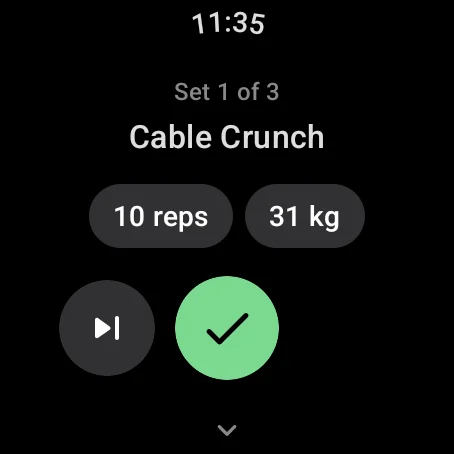
A goal wizard drafts a program. After each workout the next targets update by double progression, with the reason shown.
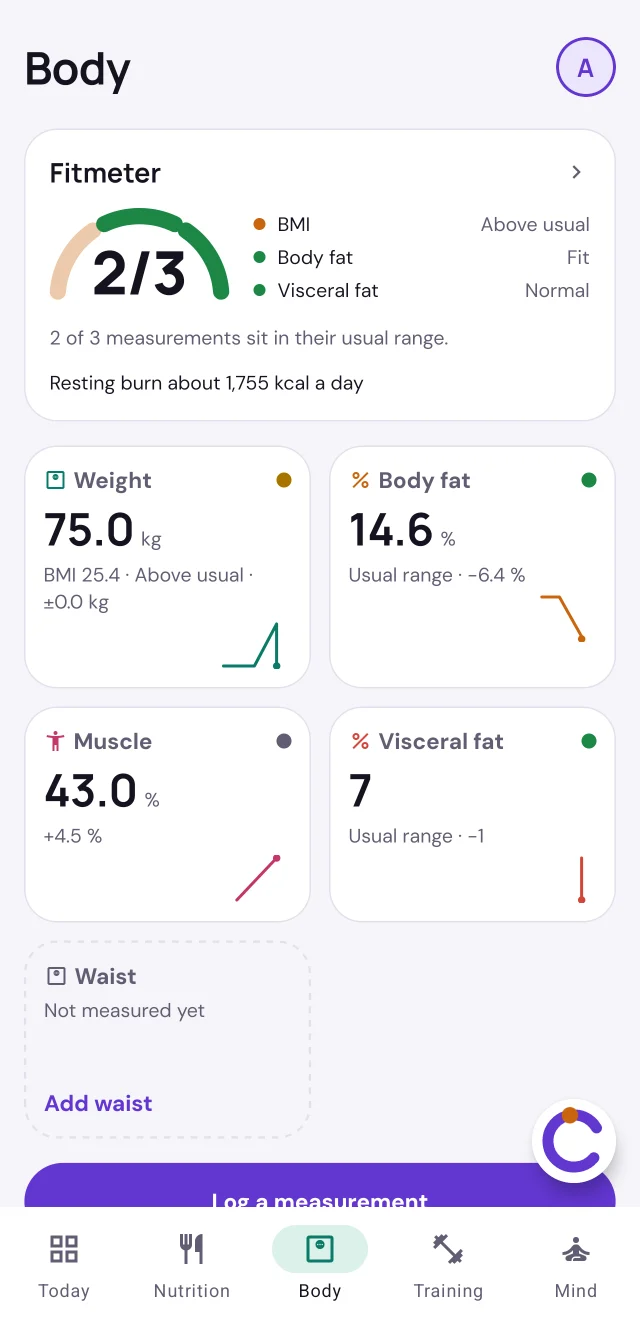
Weight, body fat, muscle, visceral fat and waist, each against a usual range with its named source.
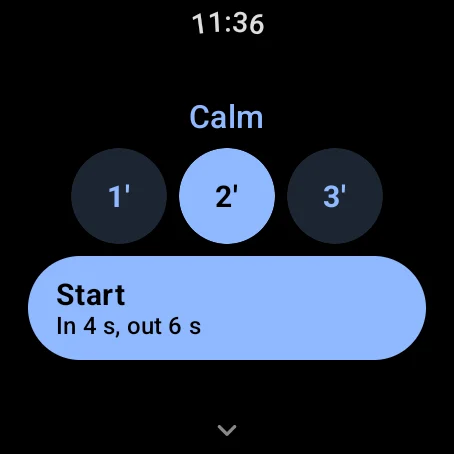
Breathing paced by soft taps on the wrist, or calm music with its beat on the watch. Offered when your heart rate points to stress.
Last night and yesterday in two lines, with “Why?” behind every point. Sauna, supplements and effort after training feed it too.
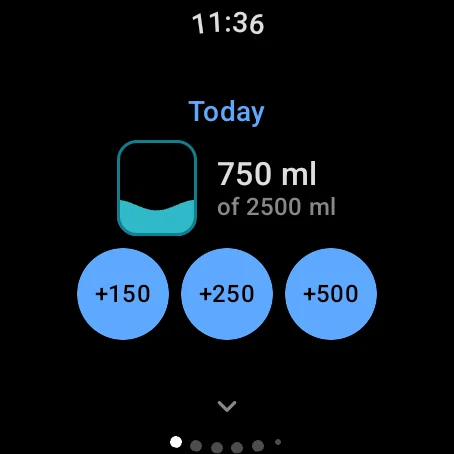
One tap logs 250 ml on the watch, tile or complication. The goal rises on active days.
Search the catalog, compose meals, save your own foods. Meals from MyFitnessPal, Cronometer or Lose It! arrive through Health Connect.
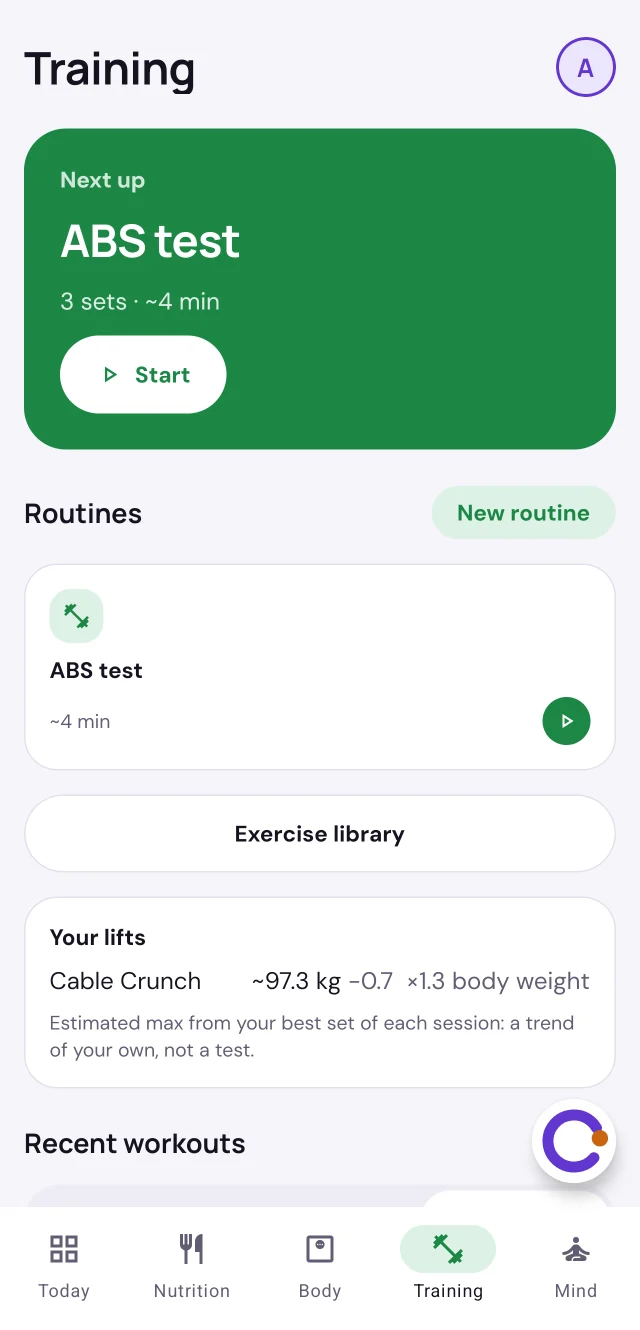
Screenshots of the Android app in the beta, from a demo account.
Routines, your exercise list and today’s goals are stored on the watch. Big targets, one job per screen. These are screenshots of the Wear OS app in the beta.
Health Connect and Apple Health are excellent at keeping your data in one place and sharing it with the apps you allow. Acting on it, from the wrist, is the part we fill.
| What you want to do | Google Health Connecton its own | Apple Health + Apple Watchon their own | With Carpemindon top of either |
|---|---|---|---|
| Keep all health data in one place | Yes Shared store and permissions for every app | Yes The Health app on iPhone | Same Uses that store. No new silo, nothing to migrate |
| Log water, weight and body fat from the watch | No Needs a separate logging app | No Manual entry on iPhone | 1–2 taps Water per tap, a wheel that starts at your last reading |
| Strength routines with sets, reps and kg | Partly Stores exercise sessions, no routine to follow | Partly Workout app records time and heart rate, not sets or weights | Full Planned on the phone, run on the watch, targets that progress |
| Track with the phone left behind | Partly Watch sensors sync later | Partly Workouts and sensors, not manual logs | Yes Every watch flow works offline and queues for sync |
| Ask questions about your own data | No Up to the apps you install | No Up to the apps you install | Coach Answers from your data, AI on the phone first |
| Breathing and mood check-ins | No Up to the apps you install | Yes Mindfulness app with breathing and State of Mind | Linked Offered when heart rate and HRV suggest stress, lined up with sleep and training |
| Goals that react to your other data | No Stores data, sets no goals | Partly Activity rings, not hydration or body goals | Yes Water goal rises on active days, readiness shapes the workout |
| Log meals and calories | Via apps Stores nutrition that food apps write | Via apps Stores nutrition, manual entry per nutrient on iPhone | Yes Catalog and meal composer, plus meals from your food app. Photo estimates next |
Compared with the built-in apps and stores as of October 2026. Google and Apple update them often; tell us if something here is out of date. Apple Health support in Carpemind is coming soon.
Carpemind reads meals from the health store, whichever app logged them, and shows each with its source. Whether your Carpemind meals go back to the store is a switch, off until you turn it on.
With it on, apps that read nutrition from the store, such as Google Health, Samsung Health and Lose It!, show them. Most food apps, MyFitnessPal and Yazio included, only write to the store, so they won’t.
Carpemind pairs slow breathing and calm music with a soft rhythm you can feel. What research says about it, the strong parts and the weak ones.
About six breaths a minute is the best-studied part: many studies link it to a calmer heart rhythm and feeling more relaxed. The session paces 4 s in, 6 s out, with a tap at each turn.
On its own, vibration has not been shown to calm, and a steady buzz may even be slightly stimulating. So Carpemind’s taps follow your breath or the music, then pause.
Studies on felt sound are small and mixed, effects are modest, and Carpemind itself has not been tested in a study. No “miracle frequencies”. It is made for relaxing.
The studies are research background, not tests of Carpemind.
Planned. Each data type will still need your permission, read and write separately.
There is nothing to buy today. Later, the heavier AI features will likely move to a paid Pro plan. Everyday tracking, calm, safety and every privacy setting stay free.
€0while the beta runs
€0
TBA
You choose what Carpemind can touch, and every choice can be changed later in the app under Profile → Privacy and data.
Your entries are health data, so Carpemind asks for your explicit consent (GDPR Art. 9). Every optional feature stays off until you turn it on.
Health Connect asks for each type, read and write separately. Your phone reads it; turn any type off and Carpemind keeps working with the rest.
Your account and synced entries live on Carpemind’s server at Hetzner in the EU. Your phone and watch keep a copy, so they work offline.
Every connection is HTTPS. Sign-in tokens sit in the phone’s secure storage, and your pictures and videos open only through short-lived links.
Where your phone can, AI runs on the phone. Cloud AI only runs if you turn it on, and never sees your notes. Stress and mood come from fixed rules.
Download everything or delete your account from the app at any time. No ads, no selling, no profiling for others.
Carpemind is a wellness app, not a medical device. Nothing it shows is a diagnosis.
No. Keep it. Carpemind writes into Google Health Connect, which your current apps already read from. Think of it as a faster keyboard and a coach for the health data you already keep.
No. Your phone reads Health Connect, compares it with what Carpemind has, and writes only the entries that are missing.
Only to sync. Logging and full workout routines run on the watch alone, and entries wait in a queue until the phone is back in range. The voice coach needs the phone, since that is where the AI runs.
Your phone reads the health store and keeps a copy for offline use. What Carpemind syncs, your account and entries, is stored on our server in the EU, so your phone and watch agree and you can export it. When the AI writes, it does so on your phone if it can; Cloud AI only runs if you turn it on, and your notes are never sent to it.
It is in development, built on Apple Health in the same way the Android app is built on Health Connect. We will announce the date here.
No. On iPhone, Yazio shares meals with Apple Health, and Carpemind will read them from there. On Android, Yazio doesn’t share meals with Health Connect yet, so they can’t reach Carpemind. MyFitnessPal, Cronometer, Lose It! and Samsung Health do share. Use Carpemind’s own food logging only if you want to.
Carpemind uses the model built into the phone, so your data stays on it while the AI writes. Not every phone has one that apps can use. Checked in October 2026:
The Galaxy S25 and older Galaxy phones have Galaxy AI, but not the Gemini Nano version other apps can use. On those, and on every other phone, Carpemind’s AI features stay off for now, and will use Cloud AI once it arrives, if you turn it on. Everything else works the same. The app tells you which applies to your phone under Profile → Privacy and data.
Wear OS watches running Wear OS 4 or newer, such as Pixel Watch and Galaxy Watch. Apple Watch support comes with the iOS release.
Android and Wear OS, free during the beta. iPhone and Apple Watch are on the way.
Join the beta